🏥 Designed for Nurses, Healthcare Staff & Shift Workers

A clearer roster.
Your hours calculated in seconds.

The dedicated roster calendar built for hospital nursing (including Hospital 57 cycles), clinics, and rotating shifts. Manage multiple workplaces, track scheduled & remaining hours, build repeating patterns, and share your schedule effortlessly — 100% offline with zero sign-in.

100% FreeArabic & EnglishNo Sign-in RequiredWorks 100% OfflineData Saved Locally on Your Device
Hospital 57 System Compliant ✓
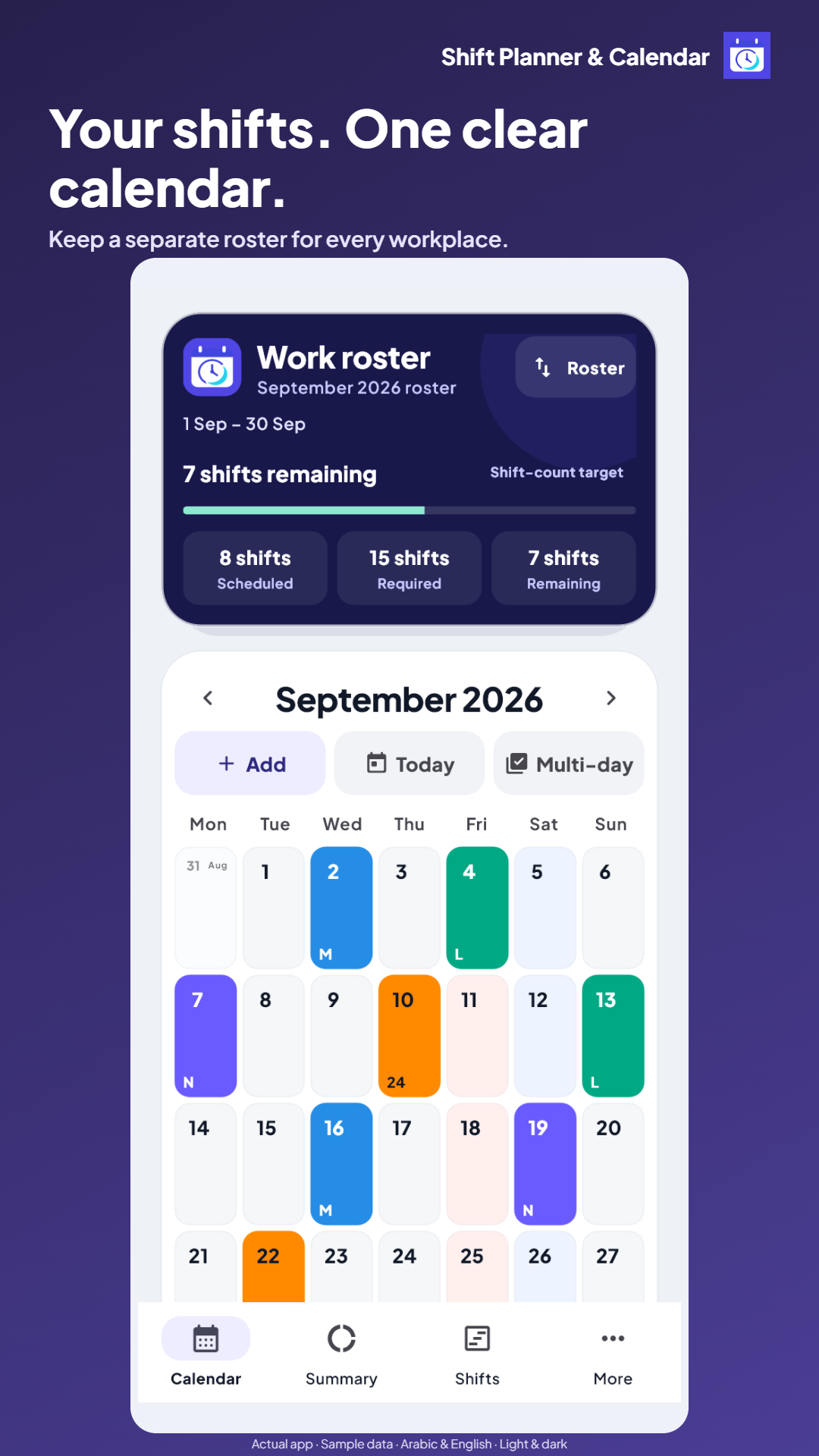
Shift calendar and multiple workplaces
15 Shifts · 168 Hours · 0 Remaining ✓
✓Independent rosters for each workplace
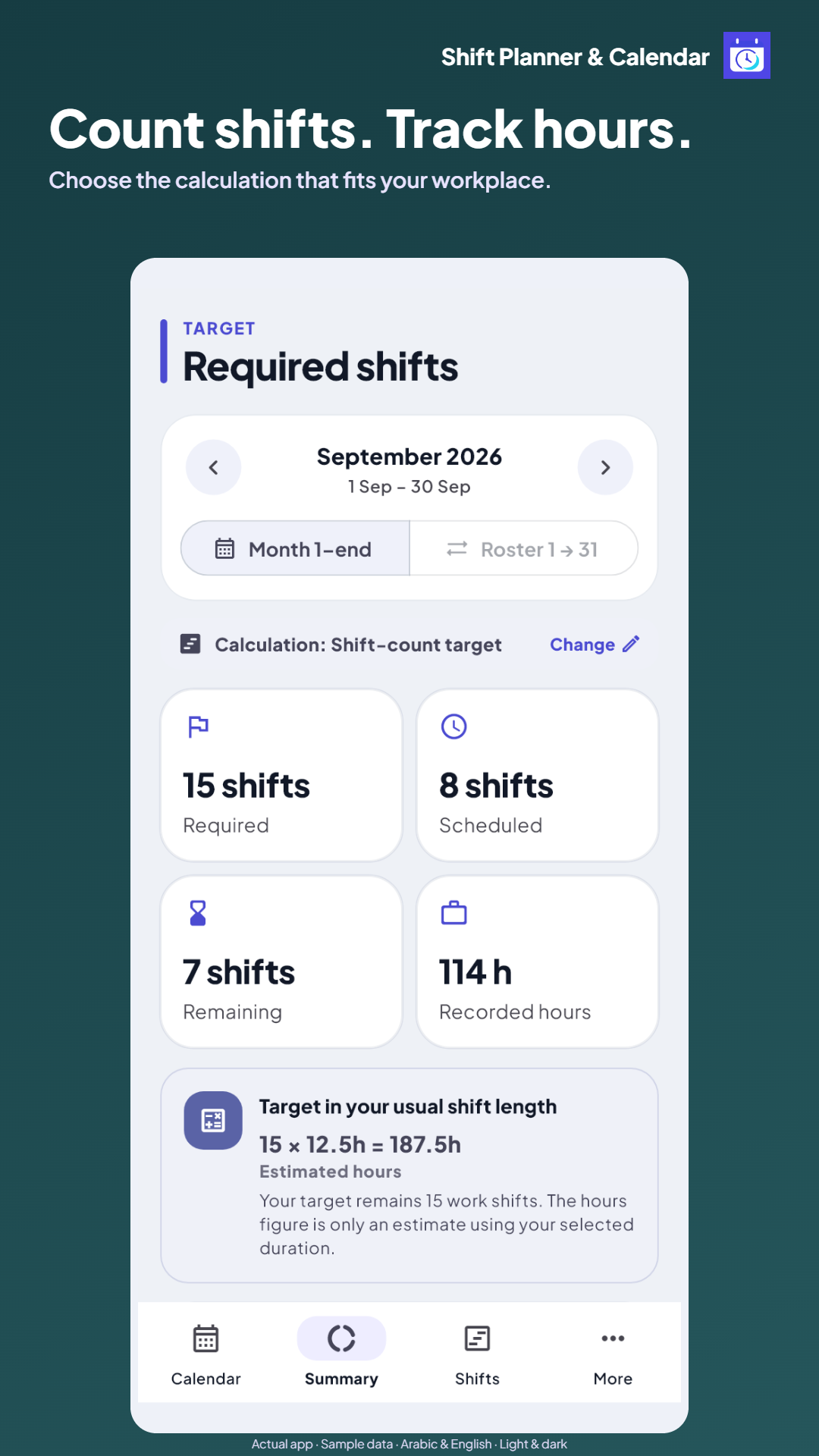
✓Track by hours (57 system) or shift count
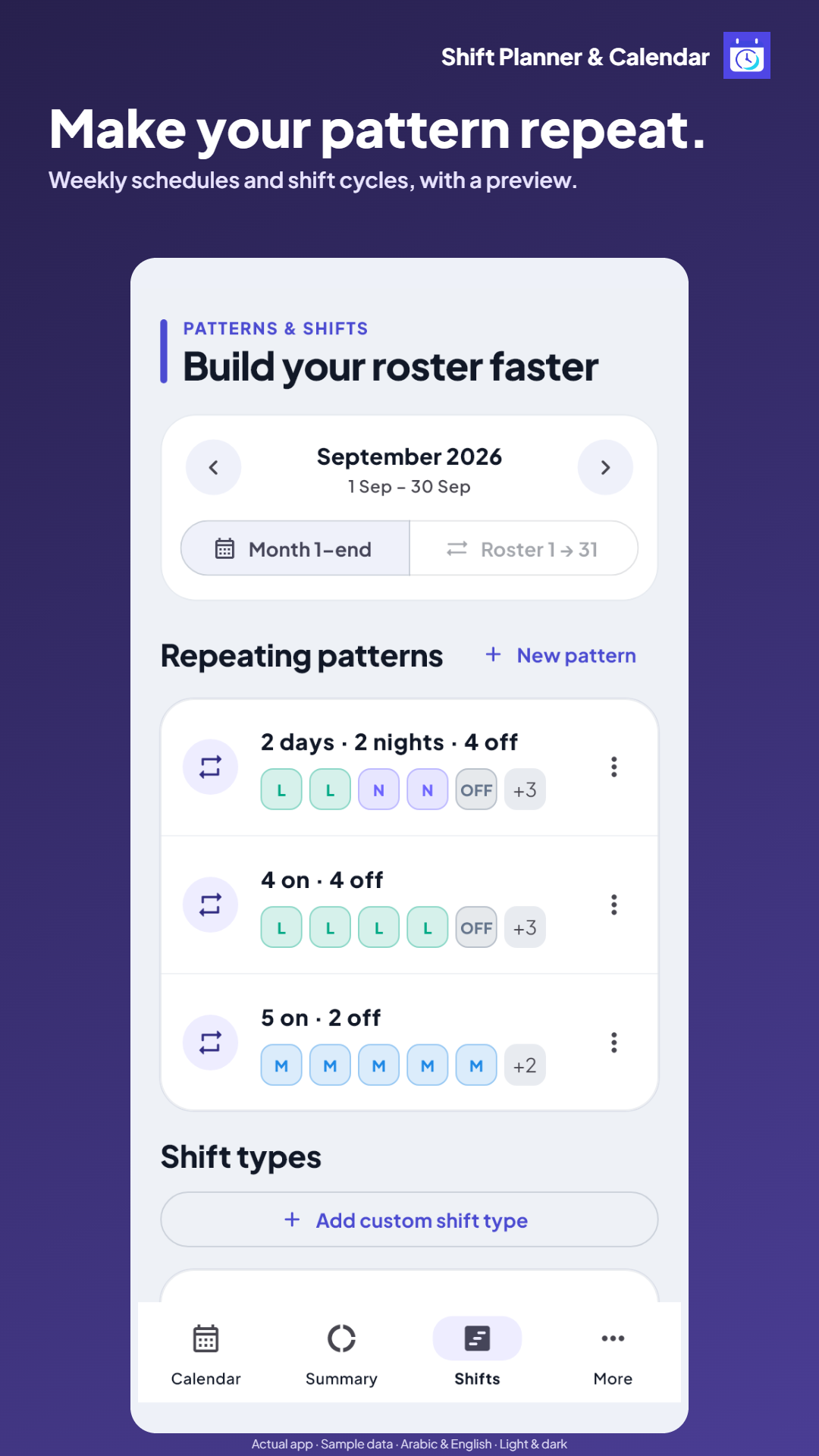
✓Repeating patterns (M, N, Off) with day protection
✓One-tap PNG image export & text share
🎨 Personalized & Easy on the Eyes

Choose Your Favorite Theme & Accent Color

The same clean healthcare identity, with 6 handcrafted color palettes and a soothing Dark Mode for night shifts. Try switching colors in the live preview card below:

Hospital 57 — Cycle 21–20
Hours Mode · ICU Nursing
Logged 132 h
Target 168 h
Left 36 h
Sample Week:
SatL12
SunN12
MonOff
TueL12
WedN12
ThuOff
Friجمعة
🍏 iPhone & iPad Users

Use the Full App on iOS Right Now!

While our native App Store release is underway, you can install the full web app onto your iPhone Home Screen in 3 quick steps:

🧭

Open App in Safari

Tap "Launch Web App Directly" in Safari on your iPhone or iPad.

📤

Tap the Share Button

At the bottom of Safari, tap the Share icon (square with upward arrow).

📲

Add to Home Screen

Scroll down and tap "Add to Home Screen", then tap "Add".

🎉 Done! Shift Planner now lives on your iPhone Home Screen as a standalone, full-screen app that works offline! Open on iPhone →
Comprehensive Capabilities

Everything You Need to Master Your Work Schedule

Whether you follow Hospital 57 hour cycles, private clinic rosters, or rotational shift counts: Shift Planner matches your workflow.

Shift calendar and multiple workplaces
Feature #1

Dedicated Calendar for Every Workplace

Keep hospital, clinic, and private facility schedules neatly organized without confusion.

  • Create multiple rosters with completely independent settings.
  • Flexible cycle starts: 1st of month, 16th, 21st, or any custom date.
  • Color-coded shifts with automatic highlighting for weekends and public holidays.
Try this feature in the app →
Shift and hour tracking with Hospital 57 system
Feature #2

Accurate Hours Tracking & Hospital 57 System

Know your scheduled, target, and overtime balance in real time without manual math.

  • Full support for hour-based targets (e.g. 168h Hospital 57357 cycles).
  • Shift-count mode: Leave and Off days do not count as work shifts.
  • Live progress bar displaying completed vs remaining hours for your period.
Try this feature in the app →
Repeating shift cycles and weekly patterns
Feature #3

Repeating Patterns & Shift Cycles (Pattern Engine)

Build an entire month in seconds without tapping each day one by one.

  • Create repeating weekly patterns (e.g., Sat, Mon, Wed).
  • Or define custom rotating cycles like (Morning, Night, Off).
  • Occupied day protection: The system skips days with existing shifts to protect your history.
Try this feature in the app →
Hours converter and shift earnings estimator
Feature #4

Built-in Tools: Hours Converter & Earnings Estimator

Practical calculators answering your daily schedule questions on the spot.

  • Hours-to-Shifts Converter: Calculate exact shifts needed for any hour target (8h, 12h, 12.5h, 18h, 24h).
  • Roster Earnings Estimator: Set your pay rate per shift type and estimate total earnings.
  • Instant calculations that never alter your recorded calendar entries.
Try this feature in the app →
Preset shift types and full shift editor
Feature #5

Ready Presets & Detailed Shift Editor

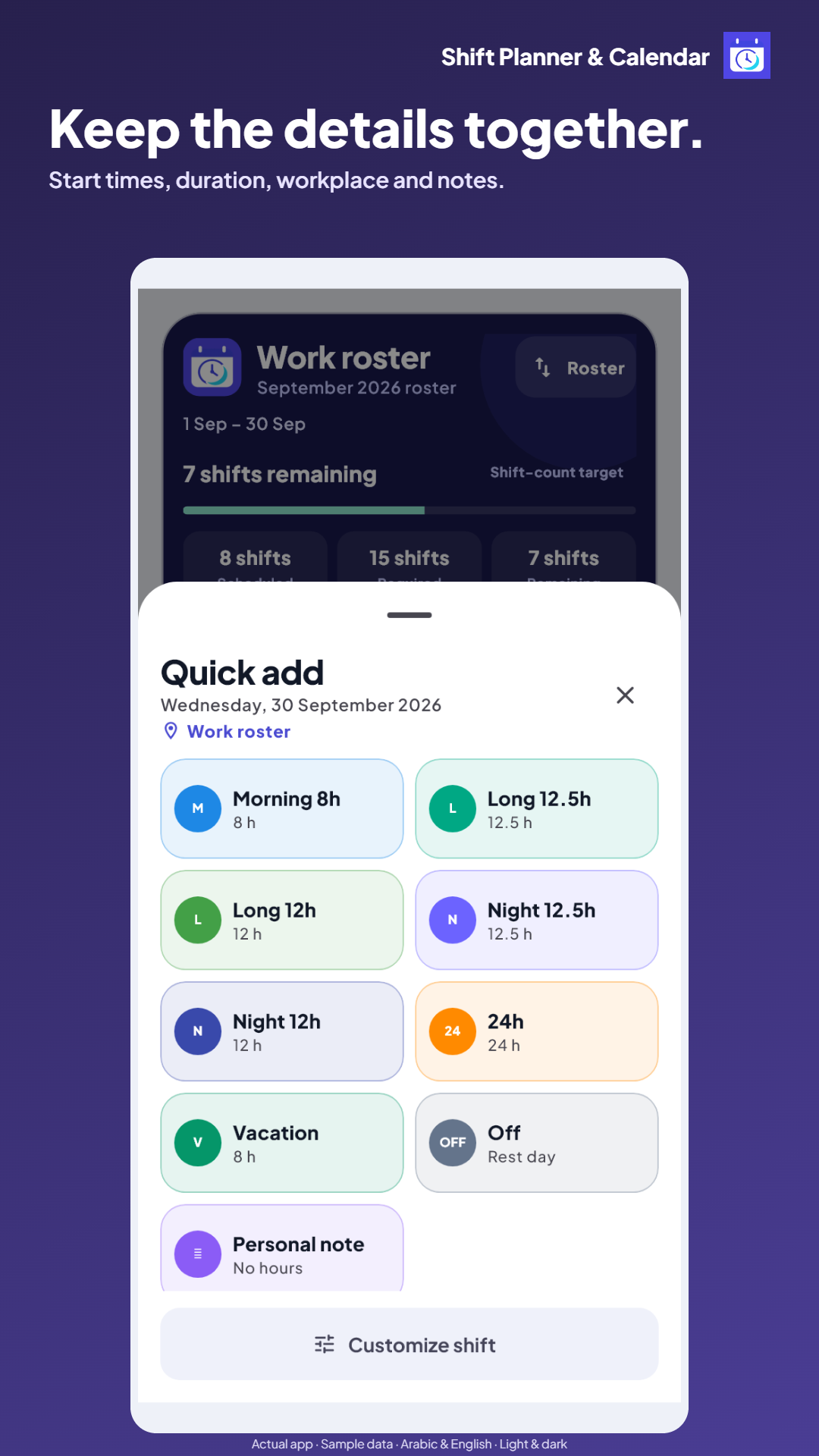
Quick one-tap presets with granular controls whenever you need them.

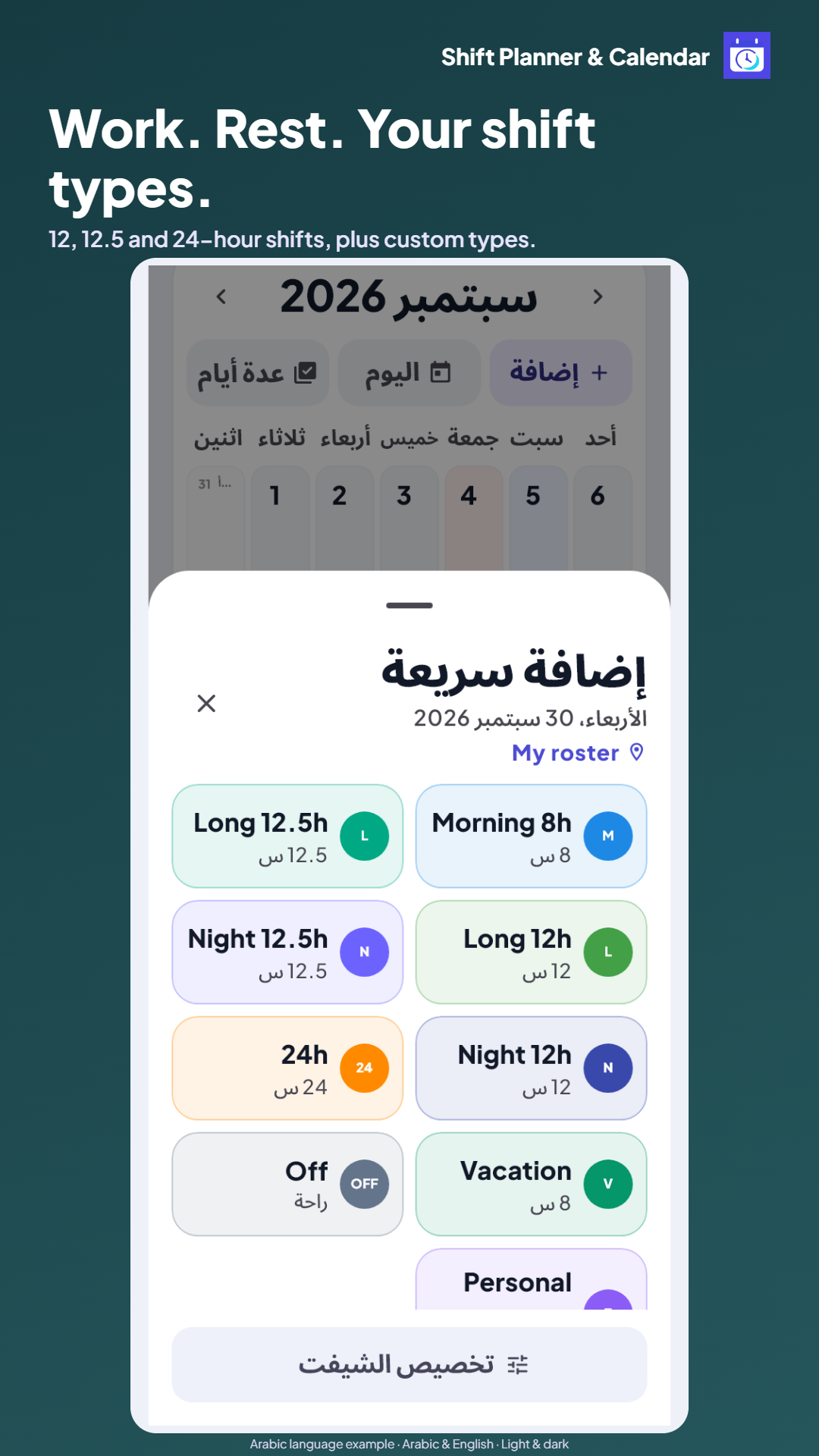
  • Ready-made presets: Long 12h, Long 12.5h, Night 12h, Night 12.5h, Morning, 24h, Off, Vacation.
  • Create custom shift types with personalized colors, codes, and icons.
  • Configure start time, duration, break time, notes, and day-cell text.
Try this feature in the app →
High-resolution roster export and sharing
Feature #6

High-Res Export & Effortless Sharing

Share your roster with family and colleagues in crisp, clear formats.

  • Export a high-resolution PNG image of your complete roster card.
  • Copy formatted text summaries ready for WhatsApp and Telegram messaging.
  • Full local JSON backup and restore to safeguard your data anytime.
Try this feature in the app →
⚡ Interactive Tool

Calculate Your Required Shifts Instantly

Try our live calculator below to see how many shifts you need to reach your target:

Calculated Result:
13.4 shifts
Accurately covers target hours with balance.
🎬 Quick Visual Tour

See Shift Planner in Action (16 Seconds)

A 16-second silent tour showcasing calendar navigation, shift entry, calculations, and pattern setup using real app screens.

Easy Setup

Get Started in Three Simple Steps

  1. 01

    Set Up Workplace

    Name your roster, choose the period start (1st, 16th, or 21st) and your calculation mode (hours or shifts).

  2. 02

    Add Shifts in Seconds

    Pick shifts from ready presets, or apply a repeating cycle to populate your entire month with live preview.

  3. 03

    Track & Share Schedule

    Monitor recorded hours, remaining balance and overtime, then export a crisp PNG image or WhatsApp summary.

Details & Answers

Frequently Asked Questions

Common answers regarding privacy, calculations, and iOS shortcuts.

Is the app completely free?

Yes! Shift Planner is 100% free on Google Play and on the web with no hidden subscriptions or fees.

Do I need to sign up or create an account?

No. You can use the app, manage rosters, and save all data completely without creating an account or providing an email.

Does it support Hospital 57 schedules?

Yes! You can configure your cycle start (e.g. 21st to 20th) and set your target hours (e.g. 168h), matching the exact rotation and policies of Hospital 57357.

How do I use it on iPhone and iPad?

Open the web app in Safari, tap the Share icon, and select "Add to Home Screen". Shift Planner will install as a standalone PWA icon that works offline.

Does it work offline without internet?

Yes! Both the Android app and the Web PWA cache their files to work seamlessly offline anytime.

Where is my data stored?

All your rosters, shifts, and notes are stored strictly on your local device/browser storage. Nothing is sent to external servers.

How do I back up my roster?

From the More tab, tap "Download Backup" to save a secure JSON file. You can restore it anytime in seconds.

Can I switch between Arabic and English?

Yes, the app is fully bilingual. You can toggle between Arabic and English with one tap anytime.

Is German support coming?

Yes! German localization is scheduled for our upcoming major update.

Is the home-screen widget available on Web?

The home-screen widget is an Android-exclusive feature. The Web version can be added as a full-screen home shortcut on iOS and Android.

Ready for a clearer roster and effortless hour tracking?

Download the app on Android or launch the web app directly to organize your first roster in under a minute.

Google Play Open Web